Why is Wrytr not free? I put a lot of effort into building it, and I think $14.99 is a fair deal. Think of it like this. Depending on where you live, the cost of two or three beers or glasses of wine gets you lifetime access to Wrytr. That’s not bad.
Notes
Notes from building and using Wrytr. Short entries, dated, like a sheet of paper.
No images? Right. Wrytr does not support embedding images. Wrytr is not meant for that. It’s meant for your brain dumps or morning pages. If you want a diary with pictures, that’s a different tool.
Need to create a different library for your work. Press ⌥⇧⌘R. That resets your current library and lets you create a new one.
I was thinking to add AI to Wrytr. But why? A little less AI is probably a good thing by now.
It’s the small design changes that make the biggest impact. Well, for me anyway. Stay tuned, Wrytr will be launching soon.
Your thoughts don’t always have to become something. They can simply exist. Wrytr gives them a quiet place to land. It’s OK to just think out loud.
Not really related to Wrytr, but I had to mention it. Dolly Parton died today. Rest in peace. You were one of the great superstars, hands down. Thanks for all the music.

Of course the usual Mac conventions still work.
⌘→ end of line
⌘← beginning of line
⌘↓ end of the document
⌘↑ beginning of the document
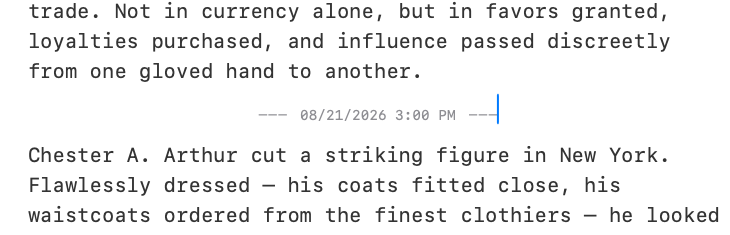
One of my favorite features of Wrytr is the divider. I use it a lot. I jot something down, and when I come back to continue with another thought I use a divider to create a separation. Love it. ⌘⇧D inserts one.
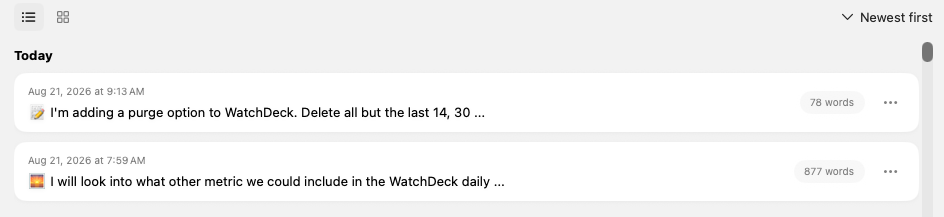
I usually write more than one sheet a day. One for morning pages, others for notes. I put an emoji at the start of a sheet so when I look at the listing I can see which is which. Not really an organizational tool. It just helps particular people like myself.
When I started developing Wrytr a few years back, I didn’t have AI. Building this kind of editor for Mac was difficult, to say the least. Fixing little things took enormous effort and time. AI has sped that up, and I’m loving it. Bring it on.
Looking at typewriter mode. The cursor stays dead center while you type, you don’t drift down the page, the page moves under you. Leaning no. It stops feeling like a sheet of paper.
I’ve been exploring opening a sheet on start, so you can start typing right away without clicking another button. That would only happen when you launch the app, not when you already have it open in the Dock.